
An automated solution to the morning relief headache!
Allocate school relief periods fairly and accurately in seconds. 100% compatible with aSc Timetable and local MySQL databases. Say goodbye to the morning headache.
Everything you need.
Powerful features designed specifically for Sri Lankan school administration.
Smart Allocation
Our AI algorithm assigns relief based on teacher workload, department matching, and building proximity.
aSc Sync
Directly import your existing aSc Timetables XML file. No need to recreate your master roster manually.
Mobile Ready
Teachers receive instant push notifications on their phones when they are assigned a relief period.
See ReliefConnect in action.
Watch step-by-step video guides to master timetable syncing, daily attendance marking, and instant relief scheduling.
How to Export aSc Timetables to XML Format | Quick & Easy Guide
Open your current timetable file. Navigate the File and Export menus. Successfully save your file as an 'aSc Timetable Export XML'. ⚠️ Are you getting an error? Don't worry! If you face any issues or get an error message during the export process, we are here to help. Simply send a screenshot of the error, along with your timetable file, to our WhatsApp number. Our team will fix the issue and prepare the XML file for you. 📱 WhatsApp Support: [0775221500] If you found this guide helpful, please don't forget to LIKE this video and SUBSCRIBE to our channel for more helpful tutorials!
📚 Video Playlist (2)
Click to play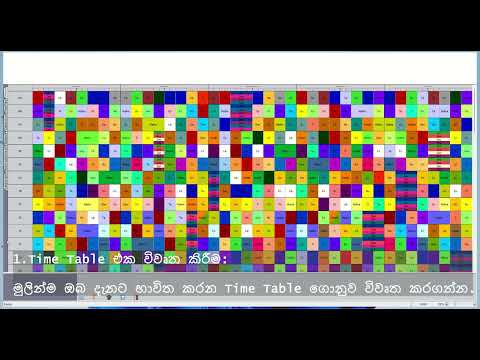
How to Export aSc Timetables to XML Format | Quick & Easy Guide
Open your current timetable file. Navigate the File and Export menus. Successfully save your file as an 'aSc Timetable Export XML'. ⚠️ Are you getting an error? Don't worry! If you face any issues or get an error message during the export process, we are here to help. Simply send a screenshot of the error, along with your timetable file, to our WhatsApp number. Our team will fix the issue and prepare the XML file for you. 📱 WhatsApp Support: [0775221500] If you found this guide helpful, please don't forget to LIKE this video and SUBSCRIBE to our channel for more helpful tutorials!
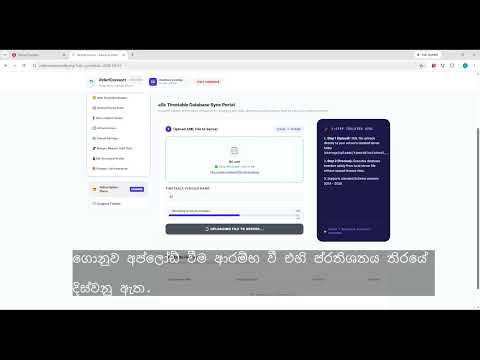
How to Upload School Timetable to ReliefConnect System
Welcome to the official step-by-step guide on how to upload your school's timetable to the ReliefConnect system. This tutorial covers how to export your ASC timetable XML and sync it to manage absent teacher relief efficiently. ReliefConnect පද්ධතිය වෙත ඔබගේ පාසලේ කාලසටහන (Timetable) ඉතා පහසුවෙන් ඇතුලත් කරගන්නා ආකාරය සහ නොපැමිණි ගුරුවරුන් සඳහා ප්රතිපාදන (Relief) කළමනාකරණය කරන ආකාරය මෙම වීඩියෝවෙන් පැහැදිලි කෙරේ.
Simple, transparent pricing.
Full access to all features. Just choose the package based on your school's size.
Small Schools
Less than 60 Teachers.
- ✓ All features included
- ✓ Smart AI Algorithm
- ✓ aSc Timetable Import
- ✓ Push Notifications
Large Schools
60+ Teachers.
- ✓ All features included
- ✓ Unlimited Scale & Performance
- ✓ Priority Support
- ✓ Custom Reporting
Need Help Setting Up?
Struggling to export your XML from aSc Timetables? Or need help configuring your teachers and subjects?
Our dedicated support team can help you export your timetable and onboard your school perfectly.
📞 0775221500
Frequently Asked Questions
Everything you need to know about ReliefConnect.
What is ReliefConnect?
ReliefConnect is a smart, automated platform designed specifically for Sri Lankan schools to manage morning relief (substitute) teacher assignments efficiently without manual hassle.
How does the automated relief allocation work?
Our Holistic Scheduler algorithm assigns relief periods based on a smart scoring system, prioritizing class teachers, teachers of the same subject, and those in the same physical block to minimize disruption.
Can I sync my existing timetable?
Yes! You can easily export your timetable from aSc Timetables software as an XML database and upload it directly into ReliefConnect.
What if we don't use aSc Timetables?
No problem. We offer a built-in Web Timetable Builder where you can manually construct your timetable slot by slot.
How does the SMS Gateway work?
We integrate with text.lk. Once you finalize relief allocations for the day, you can broadcast the schedule to all assigned teachers via SMS with a single click.
Can I exempt certain teachers from relief duties?
Yes, administrators can mark specific teachers as exempt from relief duties if they are on special assignments or have a full workload.
Does the system track teacher attendance?
Yes, ReliefConnect includes a Daily Attendance module where you can easily mark absent teachers or half-day leaves before generating the relief schedule.
What is the Holistic Scheduler?
It's our proprietary algorithm that analyzes the entire day's absences and available teachers simultaneously, ensuring the most balanced and fair distribution of relief periods across the staff.
Can I manually adjust the automated recommendations?
Absolutely. The system provides intelligent recommendations, but administrators always have the final say and can manually drag-and-drop assignments.
Is my school's data secure?
Yes, we use industry-standard encryption and secure connections to ensure that all teacher and student data is kept strictly confidential.
Can I use ReliefConnect on my mobile phone?
Yes, the administrative dashboard and portals are fully responsive and work seamlessly on mobile phones, tablets, and desktop computers.
What happens if a teacher is absent for a half-day?
You can specify the exact leave time in the Daily Attendance tab, and the system will only assign relief for the periods after they leave.
How does the scoring system work?
The system assigns points based on rules you define (e.g., 50 points if they are the class teacher, 40 points if they teach the same subject). The teacher with the highest score is recommended first.
Can we customize the priority rules?
Yes, the Global Priority Rules are fully adjustable. You can decide how much weight is given to same-subject matching versus same-block matching.
What if a class absolutely needs a teacher for a specific subject?
You can use the 'Class Subject Rules' to enforce strict relief policies for crucial subjects (like O/L or A/L Mathematics), ensuring only subject-matter experts are assigned.
How do we handle multiple physical buildings or blocks?
You can define 'Education Blocks' in the Infrastructure settings and assign teachers to them. The algorithm will try to assign relief within the same block to save time.
Is there a trial period available?
Yes, we offer a 14-day free trial so your school can test the automated relief allocation before committing to a subscription.
Can multiple administrators use the system?
Yes, you can have a Primary Admin and delegate access to other staff members for managing attendance and timetables.
What kind of support is included?
We provide a built-in Support Tickets system directly on the dashboard where you can reach out for technical assistance at any time.
How do I get started?