How to Add a Timetable
Two simple methods to synchronize your school's schedule with ReliefConnect.
1 Method 1: aSc Timetables Import (Recommended)
The fastest and most reliable way to upload your master timetable is directly from your aSc Timetables software.
-
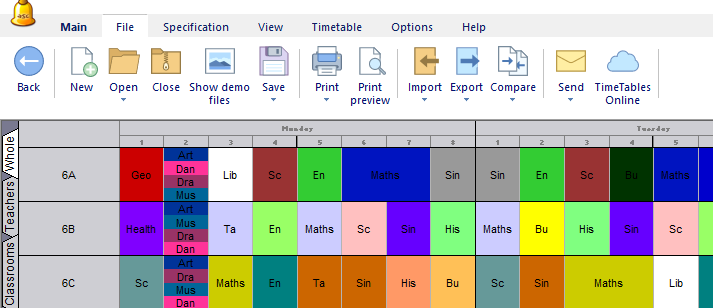
Step 1: Open your master timetable in the aSc Timetables application.
-
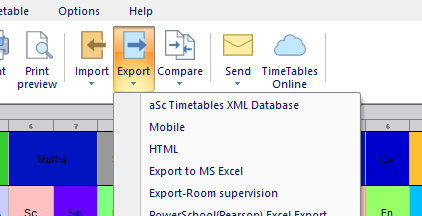
Step 2: Navigate to File > Export and select aSc Timetables XML Database.
-
Step 3: Save the file. Then, simply upload this XML file into the ReliefConnect Admin Portal under the "aSc XML Sync" tab.
2 Method 2: Manual System Entry
If you do not use aSc Timetables, you can manually build your school's timetable directly through our modern dashboard interface.
-
Log in to the Admin Portal and navigate to Data and Setting > Web Timetable Builder.
-
Click on Timetable Builder for any selected teacher or classroom.
-
Use our paint-mode interface to assign subjects to specific periods by selecting a teacher and clicking on the grid.